Windows has stopped this device because it has reported problems. (Code 43) A request for the USB device descriptor failed.
Step 01 : การหา Device instance path
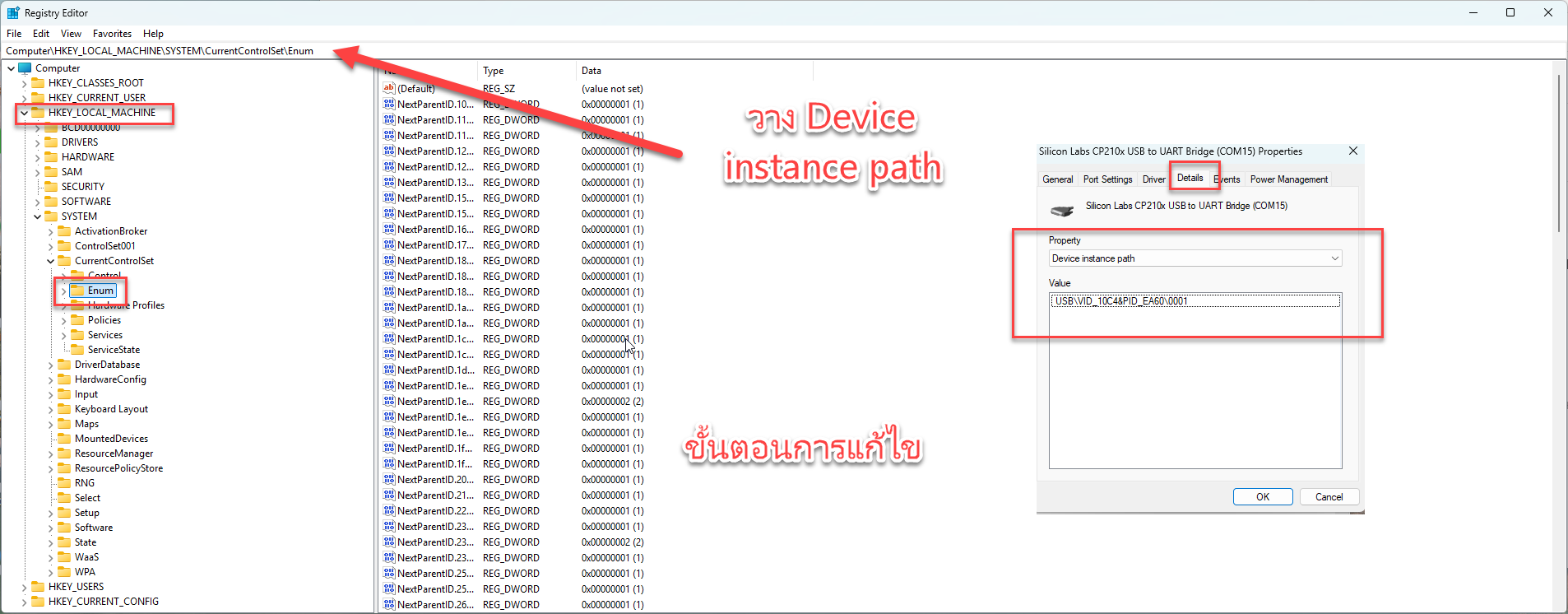
เข้าไปยัง Universal Serial Bus controllers ที่ error จากนั้นคลิ๊กขวา ไปที่แทบ Details เลือก Property : Device instance path จากนั้น copy ค่า
Step 01 : การหา Device instance path
Step 02 : เข้า Registry Editor
ได้ไปยัง HKEY_LOCAL_MACHINE -> System -> CurrentControlSet-> Enum จากนั้นเอาค่าที่ได้มาวาง เมื่อพบเข้าไป ลบ device ในออกไป